With Mynd, your practice can enable clients self scheduling services on to your calendar from their client portal or from your marketing page. As a practice, you have various controls in place to ensure clients are only booking the services you allow them to self schedule and in the time slots you mark available for them.
Your booking policy in practice settings must be enabled to allow clients the ability to book online at all.
Every service you have available on Mynd has a toggle for online booking. This allows granular control for each service type if you want to allow that service to be self scheduled by clients.
Finally, shifts must be created in your calendar as this will display availability to clients. Shifts can be set up for online booking or contact to book so you have control to allow clients to directly book or request booking for an open slot.
In Billing Settings there is an option to turn on "Force Payment Method" once you have stripe set up. When toggled on, clients are required to have credit card on file to book an appointment. When turned off, clients can book without having a credit card on file.
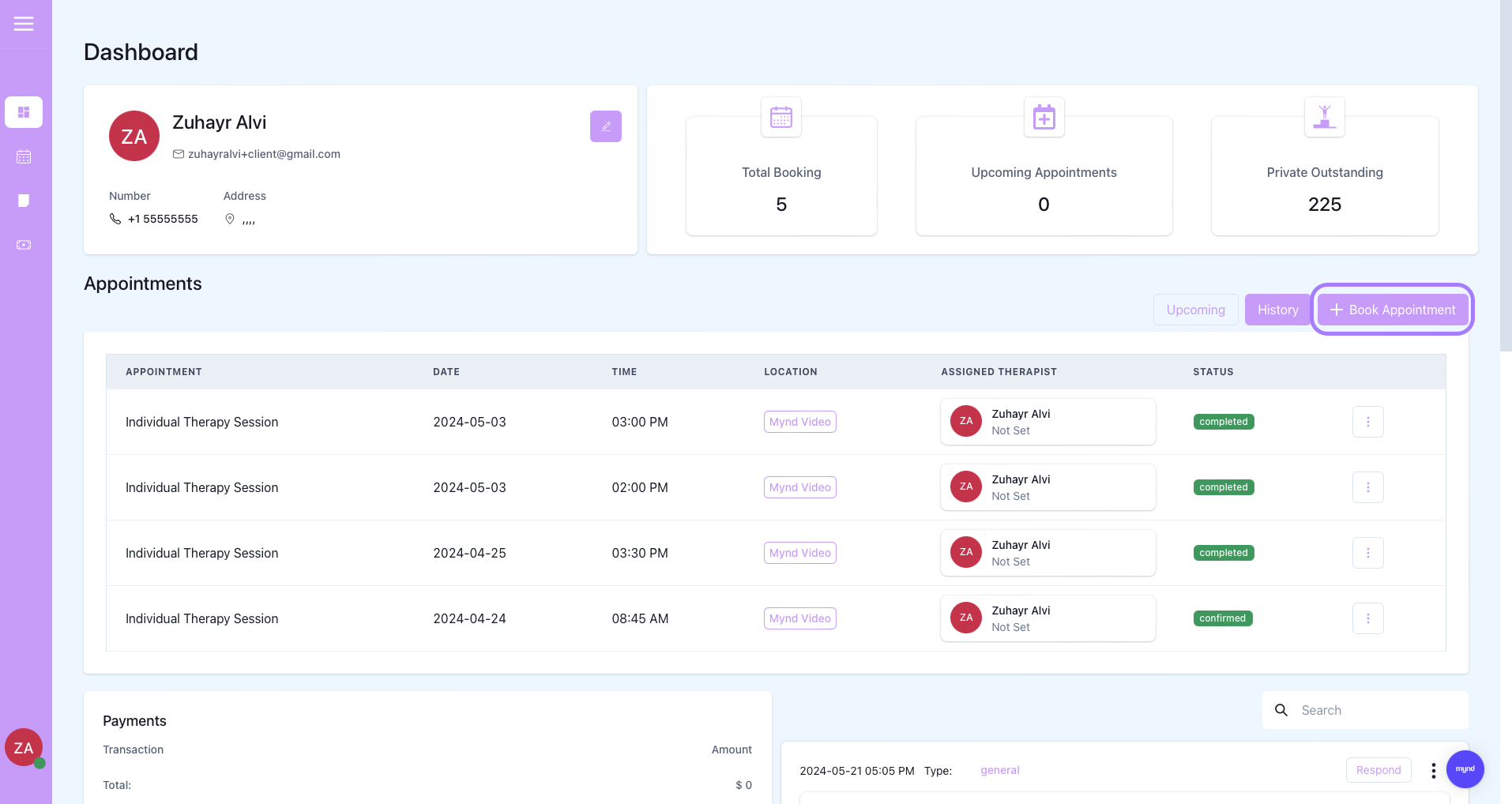
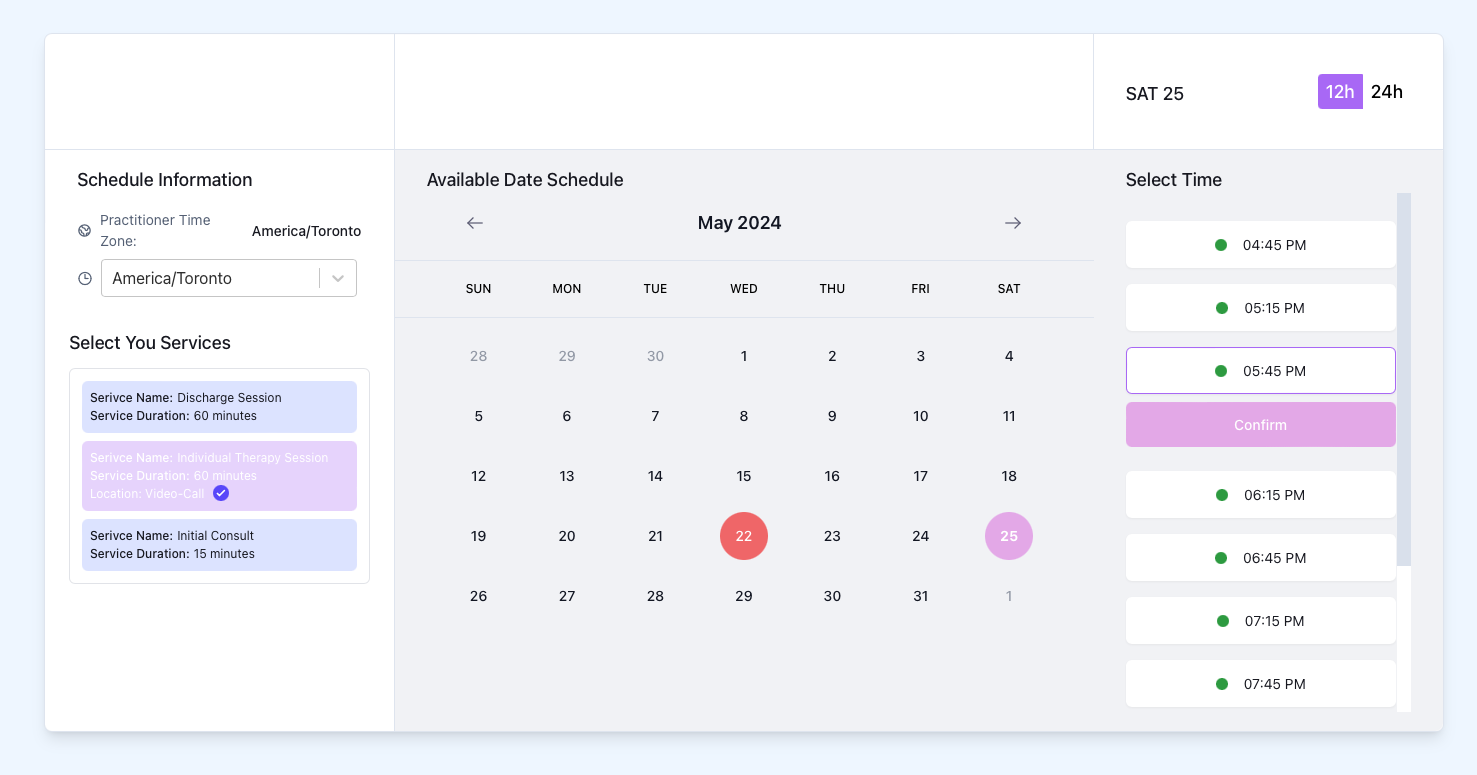
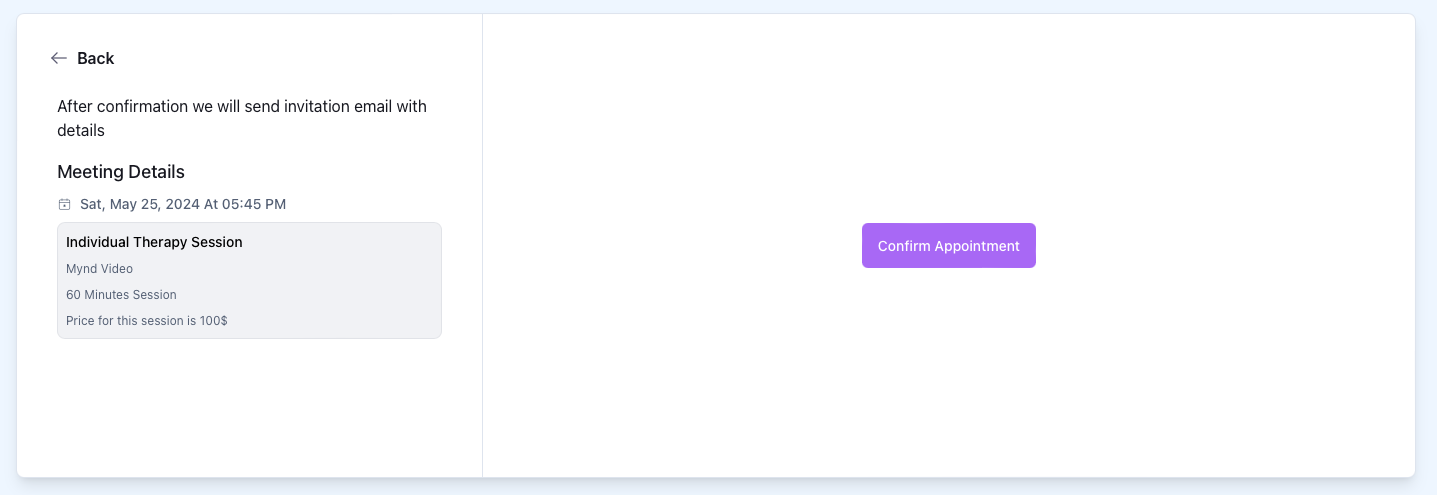
At this page, if a client does not have a credit card on file but your practice has force payment method turned on then the client will be prompted to add credit card information in.
If the shift for the selected time slot has contact to book enabled then this screen would send a notification email to therapist confirming the booking